.svg)

Generate a list of prospects using BuiltWith
BuiltWith is very useful when it comes to generating a list of prospects, accurately and, at scale.
First of all, what does BuiltWith do?
BuiltWith works primarily as a data aggregator. It contains a wealth of information on over 370 million websites.
Build your list
There are several starting points to start your prospect list. You can build your list from:
- a specific technology (ex: sites that use Shopify to find e-commerces)
- keywords (ex: type "dogs" if you're looking for dog-related websites)
- a category of goods (ex: the "Shoes" category will generate a file of e-commerces selling shoes)
You can also process a list of data that you already have. This can be useful when you retrieved a list of email addresses, for example, from Sales Navigator that you are trying to classify. You might want to contact e-commerces only. By uploading the prospects' domain, you will to retrieve the information quickly. Useful when you have a long list of email addresses to process.
Let's take the example of lists based on technology.
As you navigate through the "Web Technologies" page, you can see the different technologies identified by BuiltWith on websites. Once you have selected your starting technology, you will be able to filter your list of sites based on other criteria such as:
- Lhe web language in which they were developed
- Their website host
- Whether or not Google Analytics is installed on the site
- The country of the site
- (...)
Let's say you offer email marketing services to French websites
A convenient way to filter your leads would be to generate a list of sites that use a mailing software such as Sendinblue or Mailchip. To create such a list, simply type in "Sendinblue" for the technology used. You will then be able to filter the sites by country to choose the French sites only.
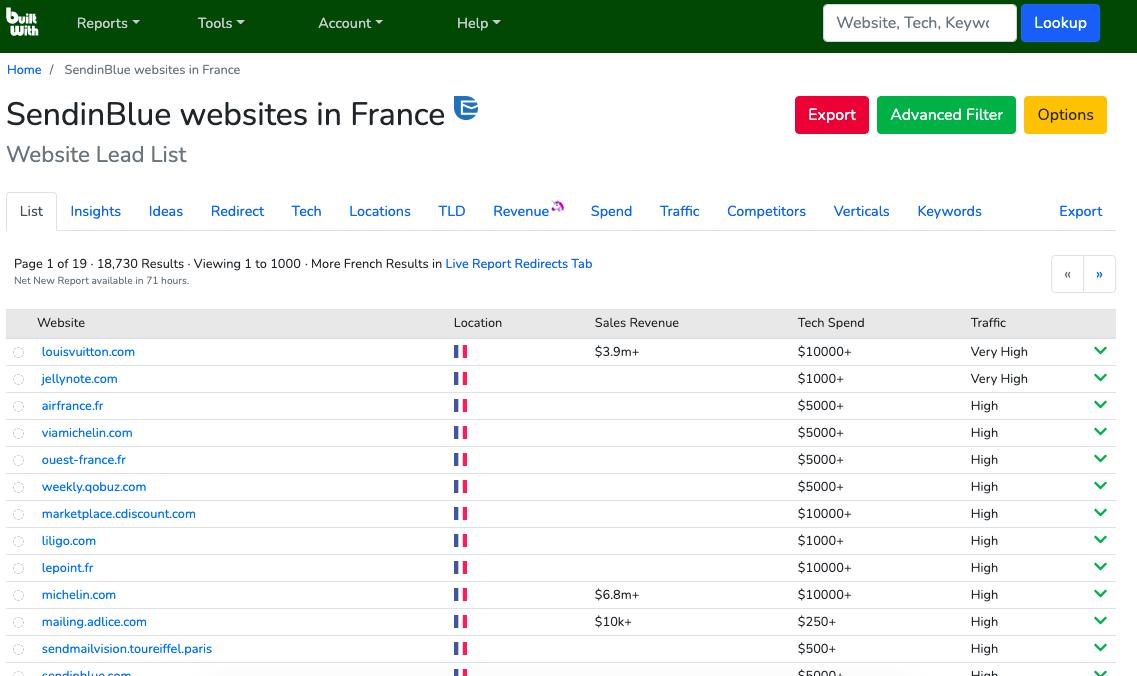
List of 18,730 websites using SendinBlue in France
If you browse the "Ideas" tab, you'll find ways to filter your list in useful ways. You will see, for example, that you can select sites that spend a lot of money (this can be useful if you provide an expensive service) or sites that have an "active" career page (this can be a sign of companies that are recruiting a lot and are expanding)
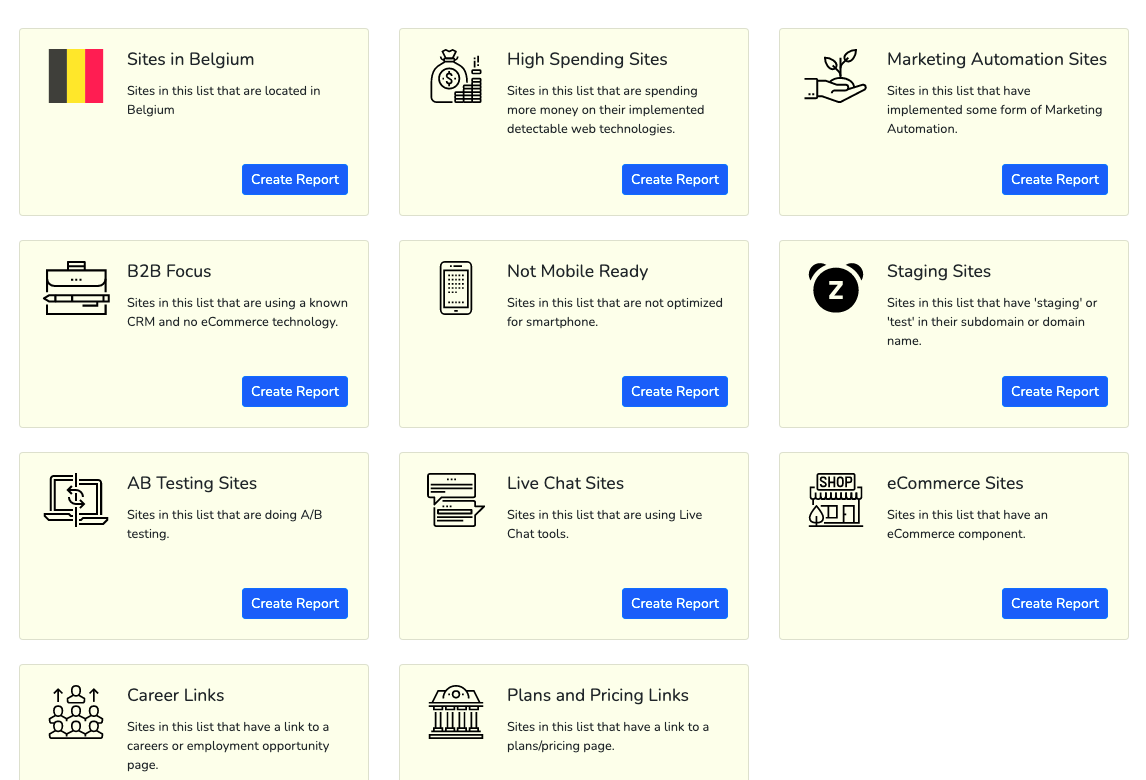
Different ways to effectively filter your prospects
Create the report
Once you created your report, you will be able to choose to export it directly or to filter it more precisely. When you create a more precise report based on your first report, it does not charge you extra credit (in case you have a limited version of BuiltWith). It is therefore wiser to start with a broad report (e.g. All Shopify websites in France) and then filter it (e.g. All Shopify websites in France that sell pet products and have Google Analytics installed).
The report is exportable in .CSV and .XLSX formats
Want to generate leads for your business? Reach out.
In addition to the domains of your websites, you will have access to other information about your file, such as generic email addresses, an estimate of their revenue level, an estimate of their expenses, links to their social networks and much more.
Once you have assembled your file, it is time to collect the email addresses of the decision makers of these companies. The email addresses included in BuiltWith lists are usually generic addresses and these typically have lower response rates. Click here to see how to find the business email addresses of company executives, based on just a domain name.