Discover our GTM Flywheel: Content, Ads & Outbound working as oneLearn more
ColdIQ Logo
Agency
Tools
Education
Get In Touch
List Building

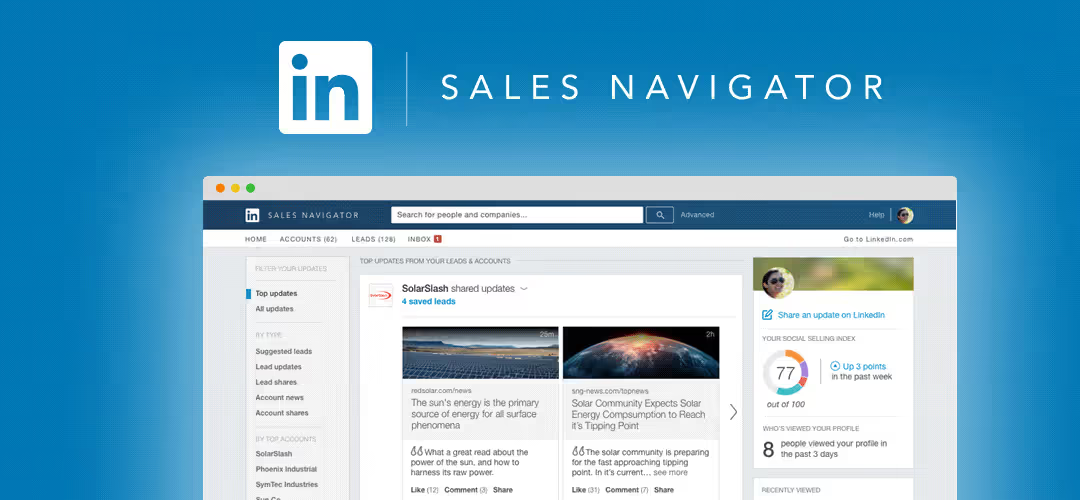
Generate a lead list with the LinkedIn Sales Navigator

LinkedIn is one of the most powerful B2B prospecting tools on the market. Using the Sales Navigator, you can filter your prospects by industry, role in the company, job title and a lot more.

Michel Lieben
Michel Lieben
MAR 17 2026
Generate a lead list with the LinkedIn Sales Navigator

Table of content

How to scrape LinkedIn Sales Navigator
Sales Navigator
Phantombuster

Share article

Talk to a GTM engineer

How to scrape LinkedIn Sales Navigator

‍

Sales Navigator

LinkedIn's Sales Navigator is one of the most powerful B2B prospecting tools available.

With 660 million members and 30 million businesses in over 200 countries, chances are your ideal customer is on the platform.

To help you in your prospecting process, LinkedIn has set up a premium tool called the Sales Navigator. You can filter your prospects according to a large number of criteria such as the country and/or city they are located in, their industry, the schools or universities they attended, their first and last name, etc. Other useful criteria can be their role or seniority in the company, the function they hold (marketing, sales, HR, ...) and the number of employees in the company. It is up to you to find the criteria that work best for your targeting.

‍

‍

To show you how it works, I'm going to look for e-commerce managers in France who are active in the Fashion industry and who employ less than 200 people.

‍

As you can see, I filled in the following criteria:

  • Geography: France
  • Industry: Apparel & Fashion
  • Seniority level: Owner, Partner & CXO
  • Company Headcount: 1-10, 11-50 & 51-200

The query returns 1.5K+ results that will (for the most part) match our criteria.

‍

If you are satisfied with your search results, you can export them. To do so, we will use a tool called Phantombuster. The tool will allow us to export the data collected on our prospects into an Excel file. This file can then be used to try to find the professional email addresses of our prospects.

Phantombuster

6851831ba1fae5e9e44bb8c9 67f97983d19031baced1b9be 60132c3a668034558b49d680 Screenshot%25201

‍

To export results, select "Phantoms" > Sales Navigator > Sales Navigator Search Export and click on "Use this Phantom"

6851831ba1fae5e9e44bb8c6 67f97983d19031baced1b9cf 60132c712ab5465e25194c41 Screenshot%25202

‍

Next, you need to connect your session to Sales Navigator. This can be done in one click by pressing "Connect to LinkedIn".

You will receive a notification similar to this one if the cookie has been successfully connected to LinkedIn.

6851831ba1fae5e9e44bb8c0 67f97983d19031baced1b9c1 60132ca2064c2141252f60fd Screenshot%25203

(Small detail, you must have a Sales Navigator session open for the connection to be made)

You will then land on the following interface:

6851831ba1fae5e9e44bb8c3 67f97983d19031baced1b9c4 60132cb9041beb6cf097b2e7 Screenshot%25204

Here you need to copy/paste the resulting URL from your LinkedIn search.

‍

Want to generate leads for your business? Reach out.

You can then launch the search in a few clicks as follows:

‍

Once the import is done, you will be able to download the resulting file in .csv or .json format.

You can then import the file via Google Docs or Excel.

‍

The resulting file will look like this:

6851831ba1fae5e9e44bb8ce 67f97983d19031baced1b9db 60143c1dd2b8447f54cf8de6 Screenshot%25205

As you can see, the file contains the link of the profile, the names of your prospects, their company names and their role within the company.

All that is missing is the email addresses of your prospects. To find them, we will use an email finder which will perform a search based on the first & last name of the prospect as well as his company.

To see how to do this with Anymailfinder, click here.
‍

‍

‍

Michel Lieben
Michel Lieben
Founder, CEO

Michel Lieben is the Founder & CEO of ColdIQ, a B2B sales prospecting agency trusted by 100+ organizations. He’s launched hundreds of outbound campaigns, mastered tools like Clay and Lemlist, and shares sharp, actionable insights on scaling sales with AI, automation, and strategy.

Share article

Talk to a GTM engineer

FAQ

Use a mix of industry, geography, and seniority filters to narrow down prospects effectively. Combining these ensures relevance and a manageable list size. Adjust filters based on campaign goals for better results.

More articles

Discover more articles on the same topic.

MAR 17, 2026
How to Get Prospecting Lists for Cold Outreach (The 2026 Guide)

A prospecting list is a compilation of potential buyers who fit your ideal customer profile (ICP), organized in a database. Think of it as a key to unlocking your cold outreach efforts. Without it, you don’t know who to reach and how to contact them.

Funmito Obafemi
MAR 17, 2026
Best ZoomInfo Alternatives in 2026 (Feature & Pricing Comparison)

Looking for a ZoomInfo alternative? We compare the 8 best ZoomInfo competitors like Apollo, Lusha, and Cognism on features, pricing, and use cases.

Michel Lieben
MAR 17, 2026
How to Automatically Scrape Data from Websites Using Clay Scraper

Learn how to scrape website data into Excel automatically with the Clay scraper! Save time and boost productivity with this easy step-by-step guide.

Michel Lieben
Available to Hire
User 1
User 2
User 3
User 4
User 5
User 6
User 7

Make your cold emails count

No setup rituals. No DNS sorcery. Just emails that send, land, and look damn good doing it. Get started now. Because why wait?

All there is to know about the latest prospecting techniques

Growth

AgencyAccelerator ProgramInboxes
Grow your revenue

Resources

Tech StackVideo ContentCase StudiesBlogWe're HiringFor Investors

GTM Tools

FREE GTM ToolsColdIQ Exclusive DealsAI Sales ToolsLinkedIn ToolsSales ToolsData SourcesAI Marketing ToolsAI AgentsContact us
Elite Studio - Partner Badge - 2025 - ColdIQ

Free Tools

Email FinderMobile FinderEmail Spam CheckerFind Similar Companies

Get In Touch

[email protected]
@MichLieben
Michel Lieben
@MichLieben
Elite Studio - Partner Badge - 2025 - ColdIQ
Copyright 2026 © ColdIQ LLC.
PrivacyTerms
All rights reserved.