Discover our GTM Flywheel: Content, Ads & Outbound working as oneLearn more
ColdIQ Logo
Agency
Tools
Education
Get In Touch
Email Warming

Warm up your mailbox using Warmupinbox

Warmupinbox prepares your mailbox to send messages in bulk via its "mail warming" solution. The software simulates interactions between your email address and others to increase its reputation.

Michel Lieben
Michel Lieben
MAR 17 2026
Warm up your mailbox using Warmupinbox

Share article

Talk to a GTM engineer

Warmupinbox is very useful when you plan to send cold email campaigns using a new mailbox. Emailing platforms are wary of new email addresses. Many of them are created for the purpose of spamming, so you need to send positive signals to avoid being mistaken for a spammer.

When you create a new e-mail address (and even for an address that has already existed for a long time), it is essential to warm it up. There are several software that allow you to "warm up" your mailbox.

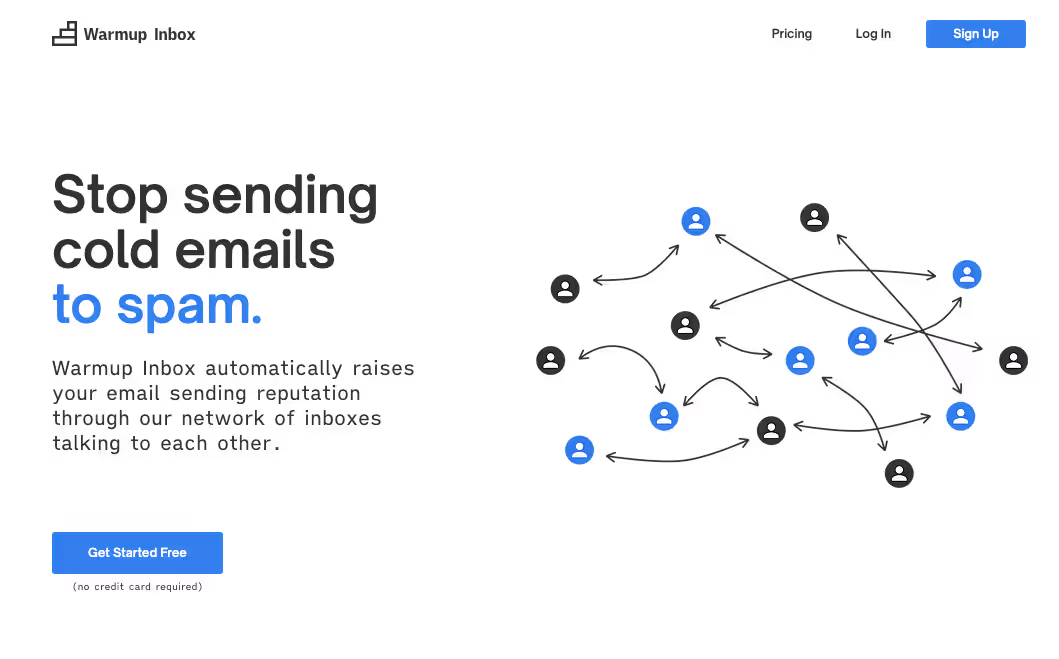
One such mail warming solution is Warmupinbox. The software contains a database of 10,000+ email addresses and simulates interactions between them. The aim is to convince the mail platforms that you are not a spammer. Warmupinbox will receive and send emails on your behalf. When you start prospecting, your mailbox will already have reached a certain level of trust. Your mails will land in the main inboxes and not in the "spam" or "promotions" folders.

The software is quite easy to use. Once you are registered and logged in, you will be shown the following dashboard:
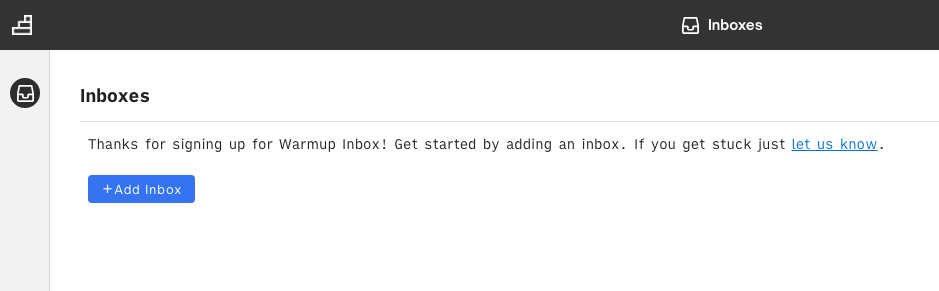
685183061f7d67fa2b082b2f 601e84b2ca86bb41a52324b9 Screenshot%201

When you click on "Add Inbox" you will see the menu below:
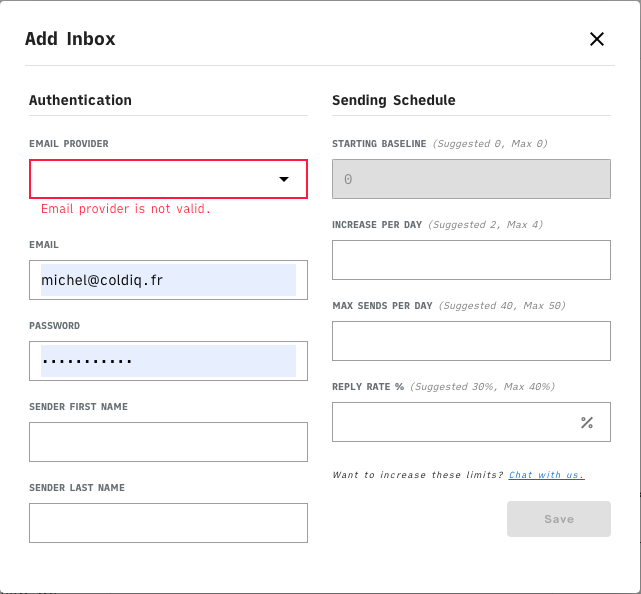
685183061f7d67fa2b082b26 601e84d3f21eb3e4b39e76f2 Screenshot%202%20 %20A%20flouter

Vous serez invité, entres autres, à renseigner votre Email Provider. Dans le cas où vous utilisez Google, il faudra configurer vos paramètres SMTP avant de poursuivre.

Le SMTP (Simple Mail Transfer Protocol) c’est simplement un serveur qui va permettre l’envoi des mails. La configuration se fait assez rapidement. Pour commencer vous allez devoir, à l’aide de l’accès administrateur de votre boîte mail, “autoriser l’accès aux applications moins autorisées” sur votre compte.

Vous souhaitez générer des leads pour votre business? Entrons en contact.

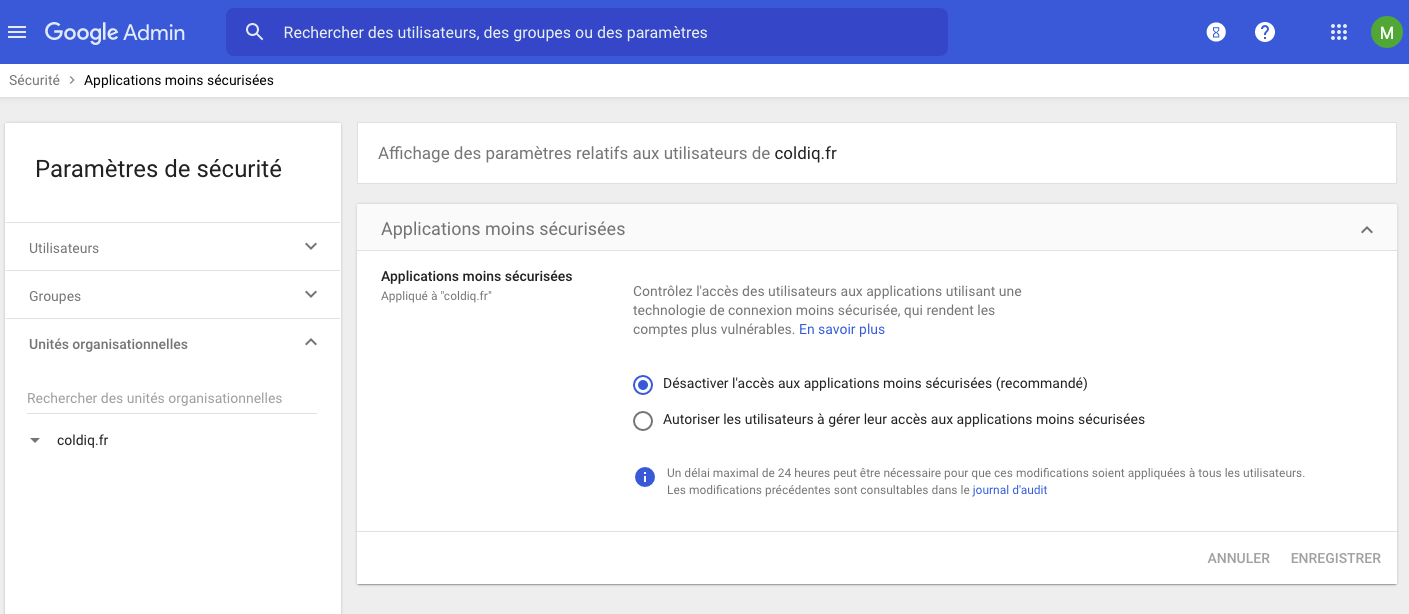
Suivez cet URL: https://admin.google.com/ac/security/lsa

Vous devriez tomber sur une page similaire à celle-ci:
685183061f7d67fa2b082b38 601e85541023db2d9228bffb Screenshot%203

Cliquez sur “Autoriser les utilisateurs à gérer leur accès aux applications moins sécurisées” puis “Enregistrer”

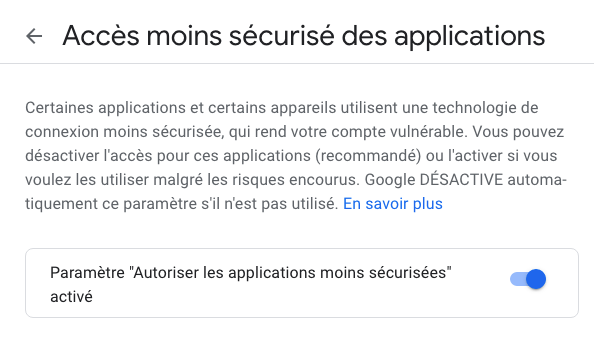
Il faut ensuite sélectionner la boite mail spécifique que vous cherchez à synchroniser avec “Warmupinbox”.

Pour ce faire, rendez-vous ici: https://myaccount.google.com/lesssecureapps?pli=1. Une fois sur la page, activez le paramètre “Autoriser les applications moins sécurisées” en cochant le bouton comme suit:
685183061f7d67fa2b082b2c 601e85b3a6b0b824ecee736d Screenshot%204

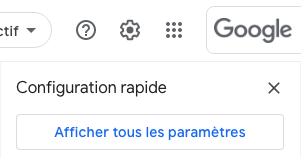
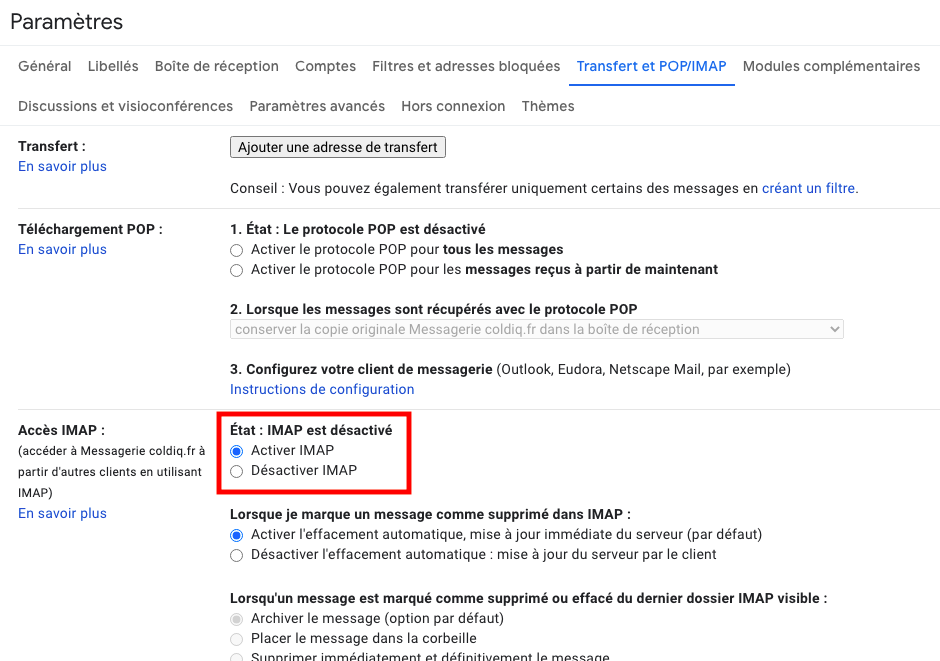
Enfin, il faut activer l’IMAP au sein de votre boite mail. Recherchez l’icône “Paramètres” (en haut à droite lorsque vous affichez vos mails). Puis cliquez sur “Afficher tous les paramètres”

685183061f7d67fa2b082b29 601e86283aa01a89a5988629 Screenshot%205
685183061f7d67fa2b082b35 601e863fca86bb5cd72326ed Screenshot%206

Dans l’onglet “Transfert et POP/IMAP” des paramètres, cochez “Activer IMAP” et enregistrez les modifications.
685183061f7d67fa2b082b3d 601e873a1023dbda8128c1f2 Screenshot%207%20 %20Ajouter%20Fle%CC%80che

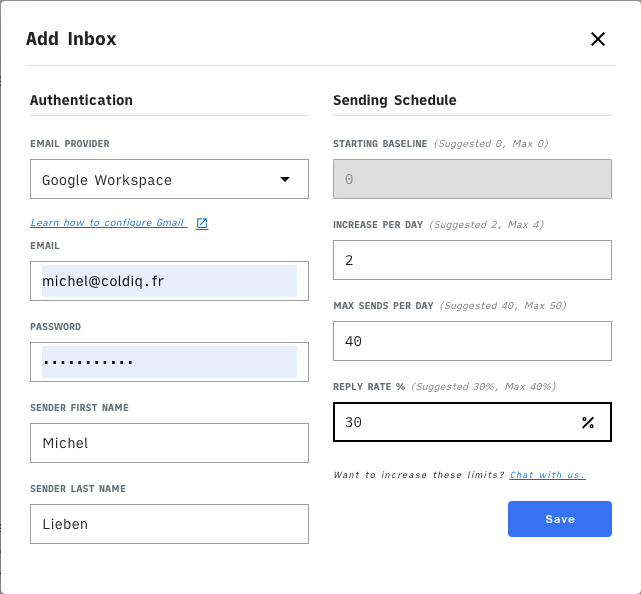
Vous pouvez finalement revenir à Warmupinbox, renseigner vos informations et cliquer sur “Save”. En ce qui concerne les valeurs à indiquer, je vous conseille de suivre les recommandations de Warmupinbox.
685183061f7d67fa2b082b32 601e876249991f1735298a57 Screenshot%208
Michel Lieben
Michel Lieben
Founder, CEO

Michel Lieben is the Founder & CEO of ColdIQ, a B2B sales prospecting agency trusted by 100+ organizations. He’s launched hundreds of outbound campaigns, mastered tools like Clay and Lemlist, and shares sharp, actionable insights on scaling sales with AI, automation, and strategy.

Share article

Talk to a GTM engineer

FAQ

Results vary, but noticeable improvements often appear within 1-2 weeks. Some emails may still land in promotions or spam initially as reputation builds gradually. Consistent daily sending and receiving help speed up the process.

More articles

Discover more articles on the same topic.

MAR 17, 2026
Top 9 Email Warm-up tools to land in the inbox in 2026

An email warmup software is a tool that helps automate the process of warming up an email inbox. It typically works by allowing users to set up an email account and then gradually increasing the volume of emails that are sent from that account over a period of time.

Michel Lieben
MAR 17, 2026
Top 7 Email Deliverability Tools in 2026

The top 7 email deliverability tools for 2026. 1. Instantly 2. Smartlead 3. Lemlist 4. Unify 5. Folderly 6. Zerobounce 7. Pipl

Funmito Obafemi
Available to Hire
User 1
User 2
User 3
User 4
User 5
User 6
User 7

Make your cold emails count

No setup rituals. No DNS sorcery. Just emails that send, land, and look damn good doing it. Get started now. Because why wait?

All there is to know about the latest prospecting techniques

Growth

AgencyAccelerator ProgramInboxes
Grow your revenue

Resources

Tech StackVideo ContentCase StudiesBlogWe're HiringFor Investors

GTM Tools

FREE GTM ToolsColdIQ Exclusive DealsAI Sales ToolsLinkedIn ToolsSales ToolsData SourcesAI Marketing ToolsAI AgentsContact us
Elite Studio - Partner Badge - 2025 - ColdIQ

Free Tools

Email FinderMobile FinderEmail Spam CheckerFind Similar Companies

Get In Touch

[email protected]
@MichLieben
Michel Lieben
@MichLieben
Elite Studio - Partner Badge - 2025 - ColdIQ
Copyright 2026 © ColdIQ LLC.
PrivacyTerms
All rights reserved.