Discover our GTM Flywheel: Content, Ads & Outbound working as oneLearn more
ColdIQ Logo
Agency
Tools
Education
Get In Touch
List Building

How to extract people participating in a LinkedIn event (with Phantombuster)

Events are often put together by field experts whose goal is to spread the word about their solutions. By attending a LinkedIn event, someone typically shows that they're interested in learning more on the subject.

Michel Lieben
Michel Lieben
MAR 17 2026
How to extract people participating in a LinkedIn event (with Phantombuster)

Table of content

INTRODUCTION
WHAT DO WE NEED?
STEP 1 - Find the event you’ll extract data from
STEP 2 - Register to Phantombuster and search for the “LinkedIn Group Events Export”
STEP 3 - Reach out on LinkedIn or Enrich the Information
CONCLUSION

Share article

Talk to a GTM engineer

INTRODUCTION

Keeping an eye out for buying signals and sales triggers on LinkedIn can help you build a list of potential customers eager to purchase. While there's no surefire way to tell if someone is interested in your solution, some signs suggest they might be.

One exciting signal to look out for is when people attend LinkedIn events. These events are often put together by experts in a specific field whose goal is to spread the word about their solution. By attending a LinkedIn event, someone typically shows that they're interested in learning more or sharing their knowledge on the subject.

Our aim is to spot individuals who are joining events related to our solution, handpick the ones who fit our Ideal Customer Profile, and reach out to them to see if we can be of help.
68518305a28746b64af915fa 63d8a181ce3d188e37379f22 Cargo Homepage

WHAT DO WE NEED?

You only need two things:

  1. An active LinkedIn account
  2. Register to Phantombuster (they have a 14-DAY Free Trial).

STEP 1 - Find the event you’ll extract data from

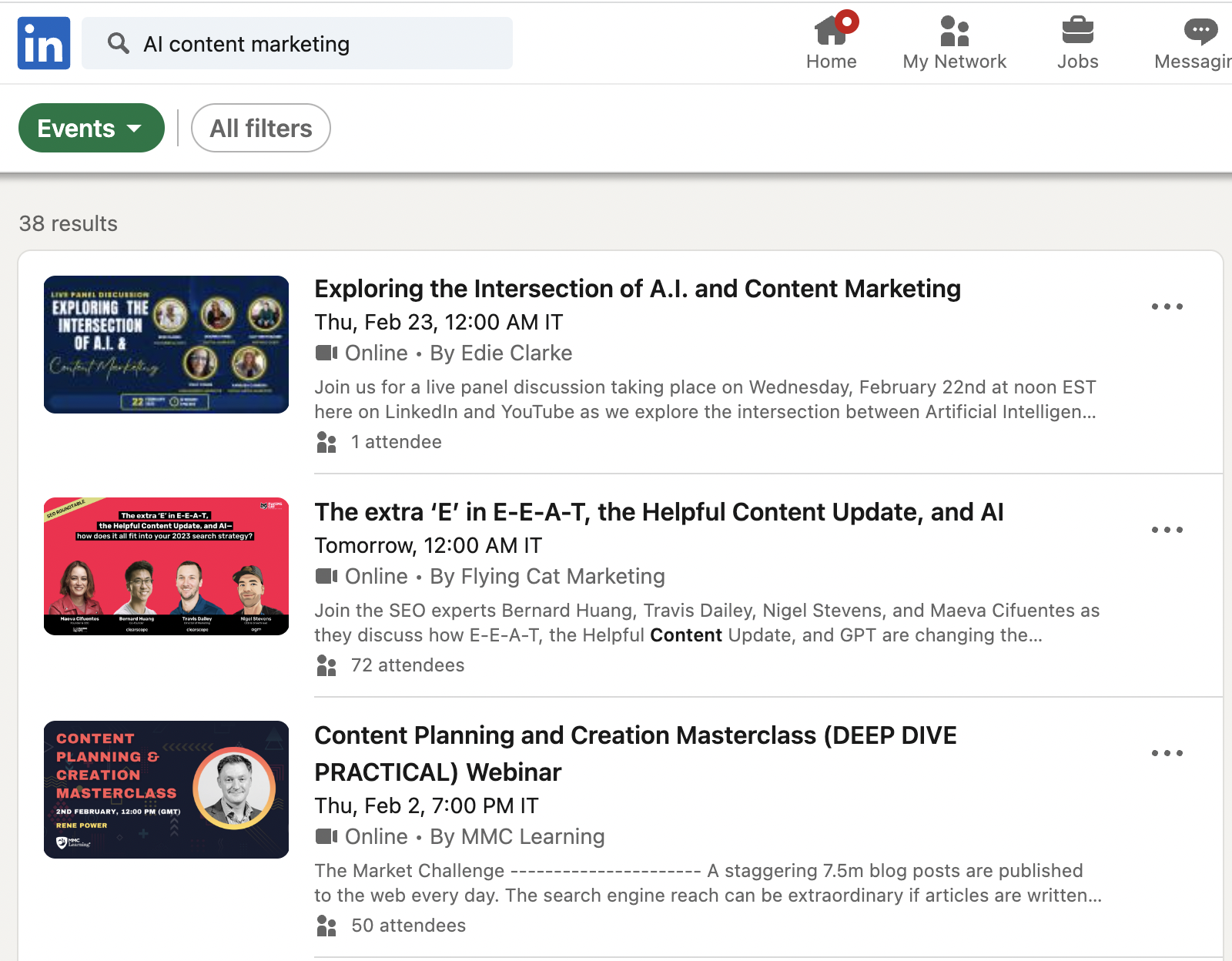
Simply type keywords related to your solution in the search bar of LinkedIn. As you’ve seen in the screenshot above, I typed “AI Content Marketing”. Once you’ve found an event with a decent number of people (100+), you can click to attend.

Note that you will need to join the event to extract data. LinkedIn only displays members of an event to people who joined to participate. Phantombuster uses cookies from your account to extract the required info. Hence, you need to “attend” the event (no need to actually attend, just make LinkedIn think you will). You can’t skip this step.

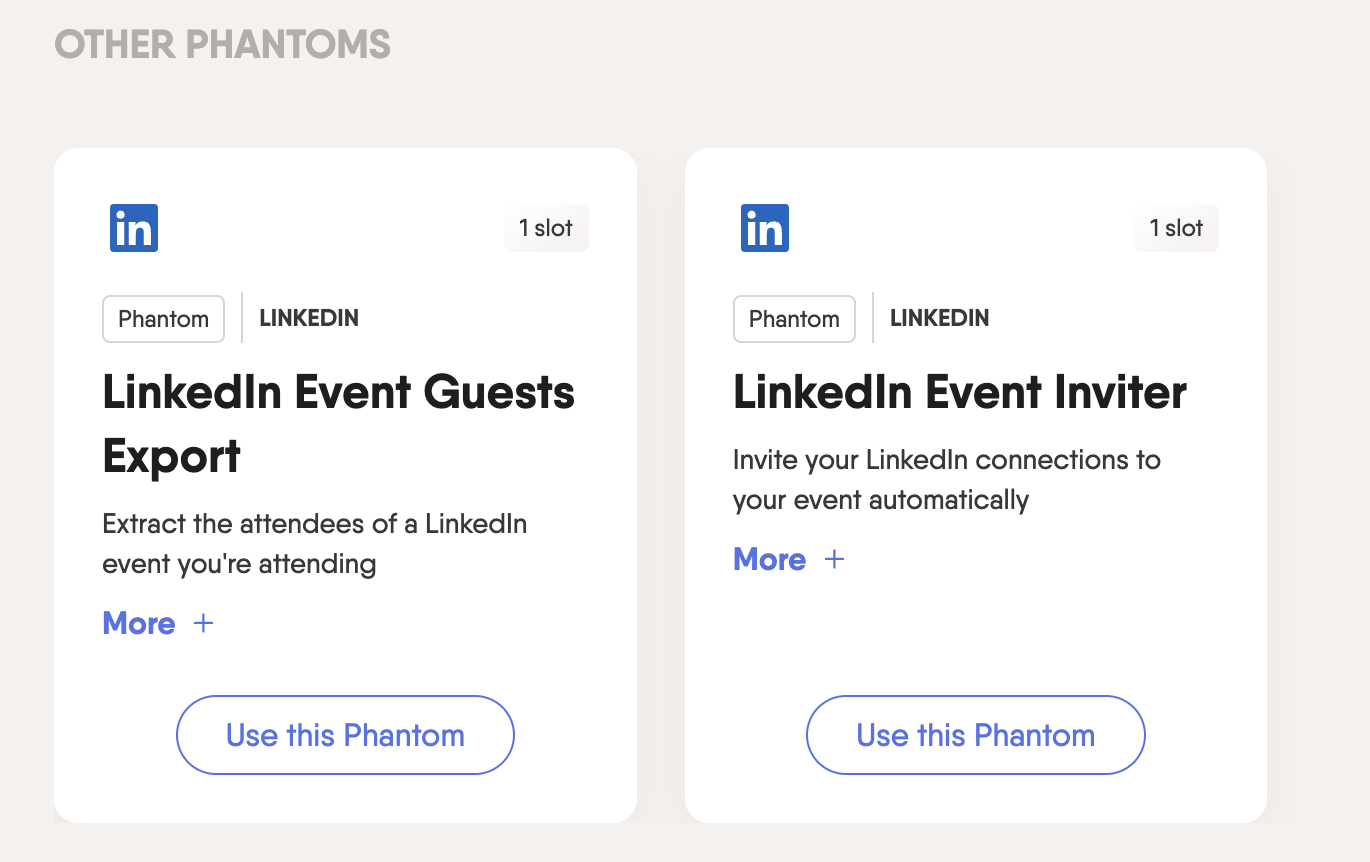
STEP 2 - Register to Phantombuster and search for the “LinkedIn Group Events Export”
6851831865325d25c4c125a4 63e70b3f4bd9075df3b56006 Screenshot%202023 02 10%20at%2013.08.59

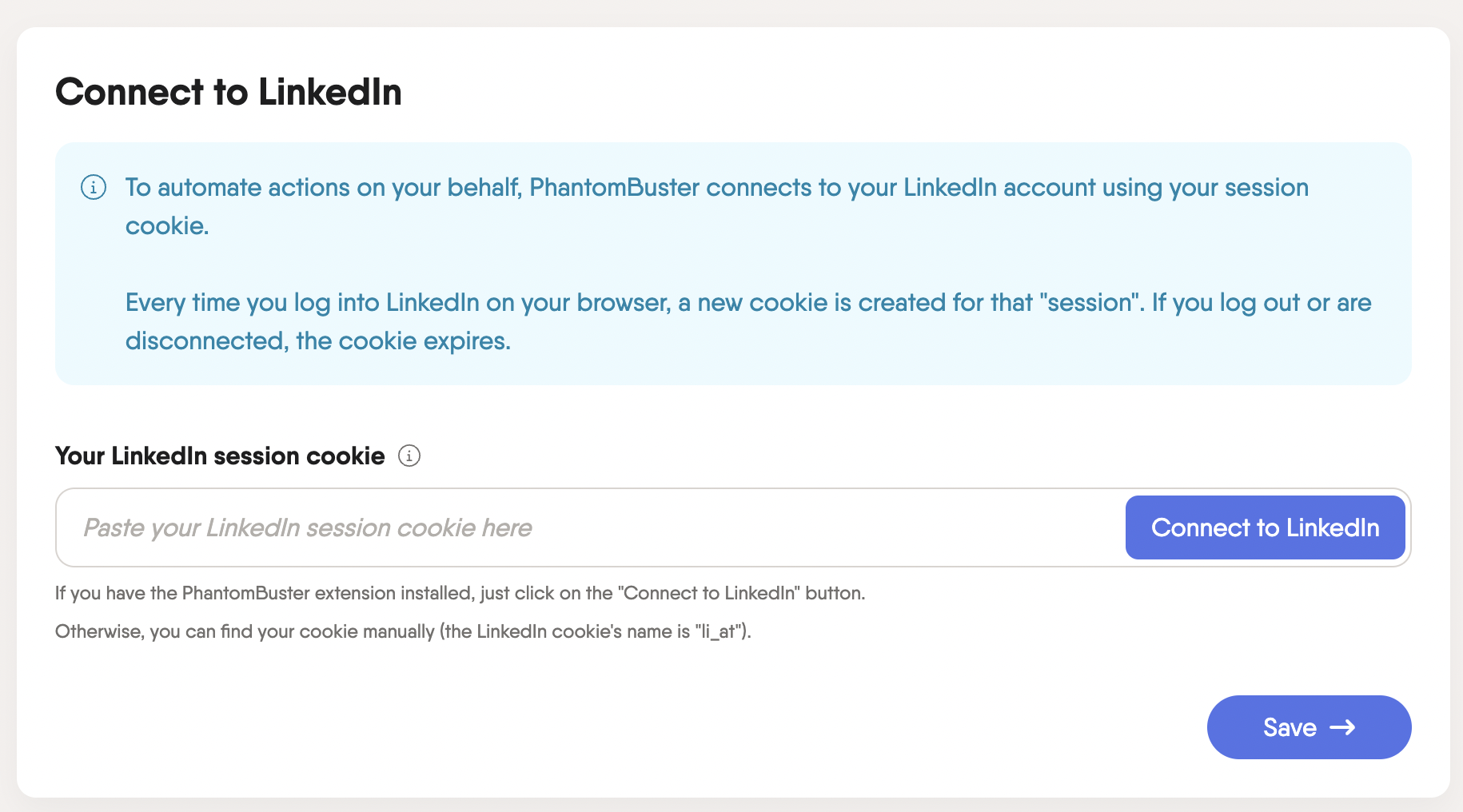
Click on “Use this Phantom”, and then you’ll have to install the Phantombuster extension that will allow you to Connect your cookie to LinkedIn.

1. Connect to LinkedIn
6851831965325d25c4c125c6 63e686c27cf866a234960d24 Screenshot%202023 02 09%20at%2019.20.25

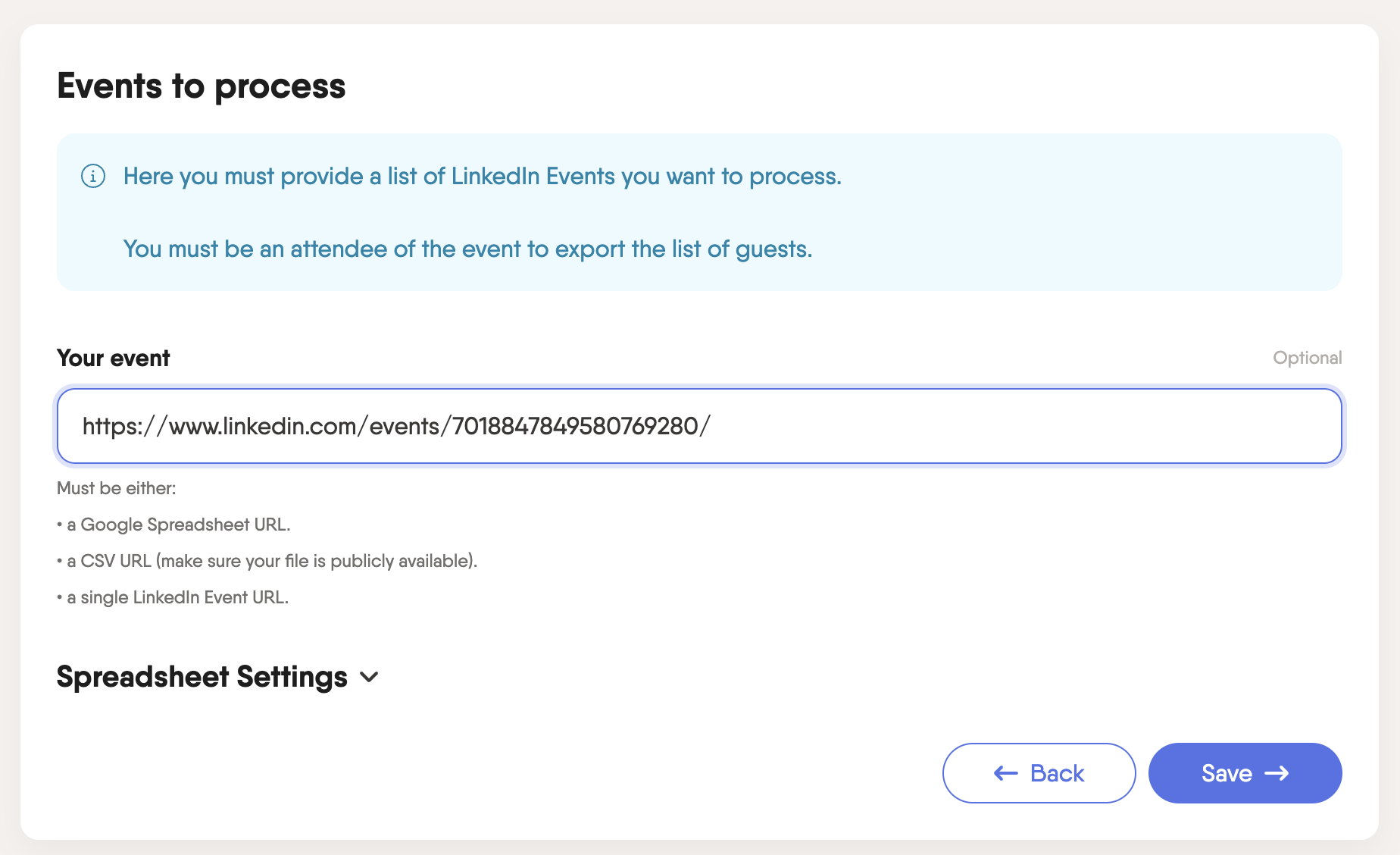
2. Copy/Paste the URL of the Event

6851831865325d25c4c125a1 63e70b781eb4ad16b0c96b23 Screenshot%202023 02 10%20at%2013.12.42

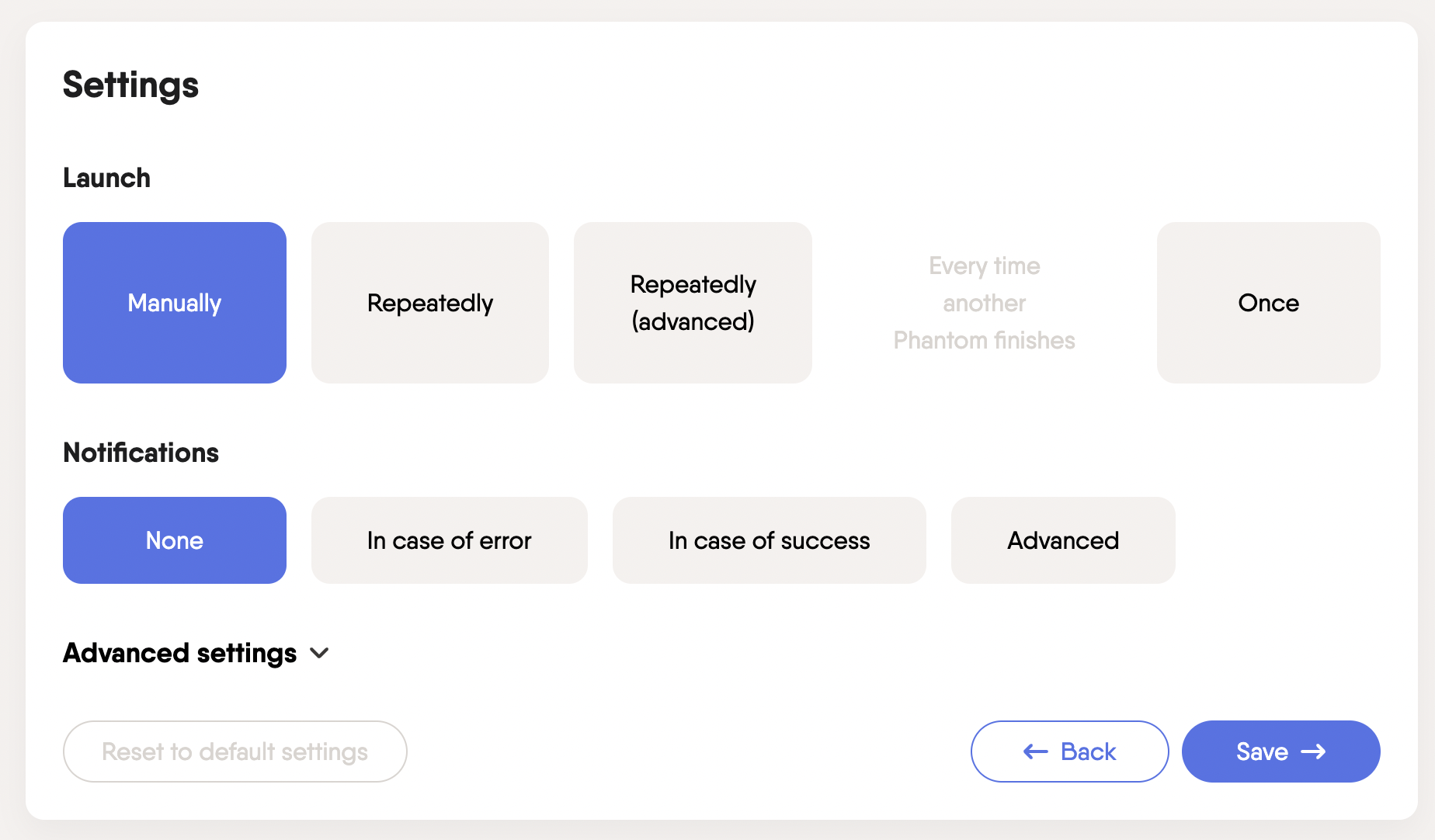
3. Leave the “Behaviour” and “Settings” page as they are
6851831865325d25c4c125bb 63e687da16a1f53d85074ea2 Screenshot%202023 02 09%20at%2019.24.36

4. Launch the Phantombuster automation (this should finish quickly)
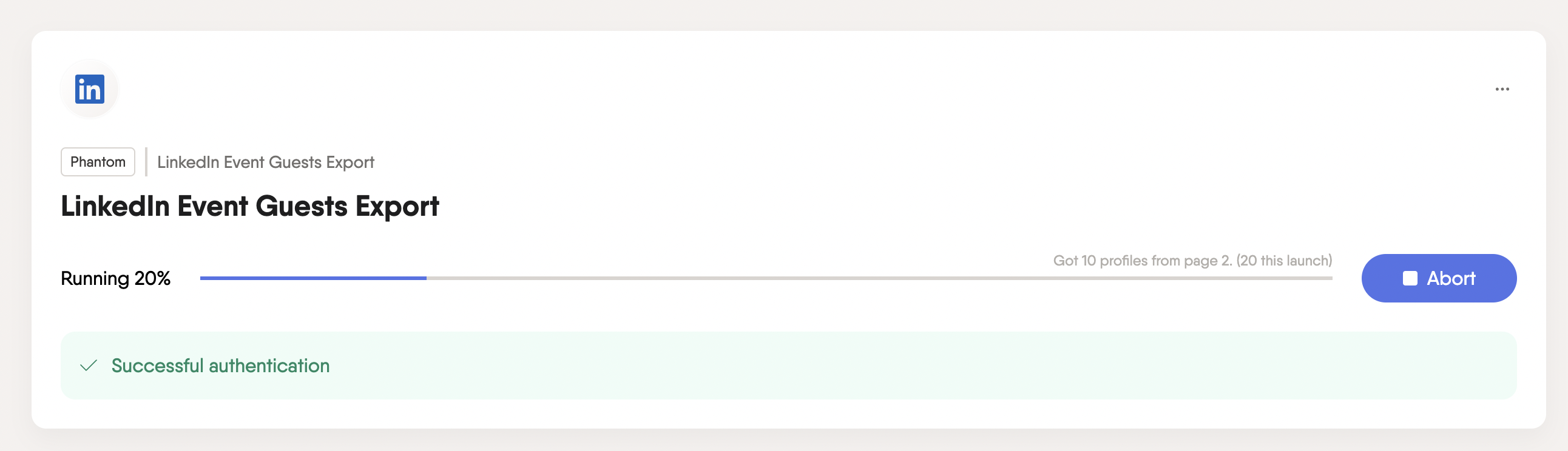
6851831865325d25c4c12599 63e70b95b6df3b7e4eebcafe Screenshot%202023 02 10%20at%2013.14.54

5. Download the Results once the extraction is done
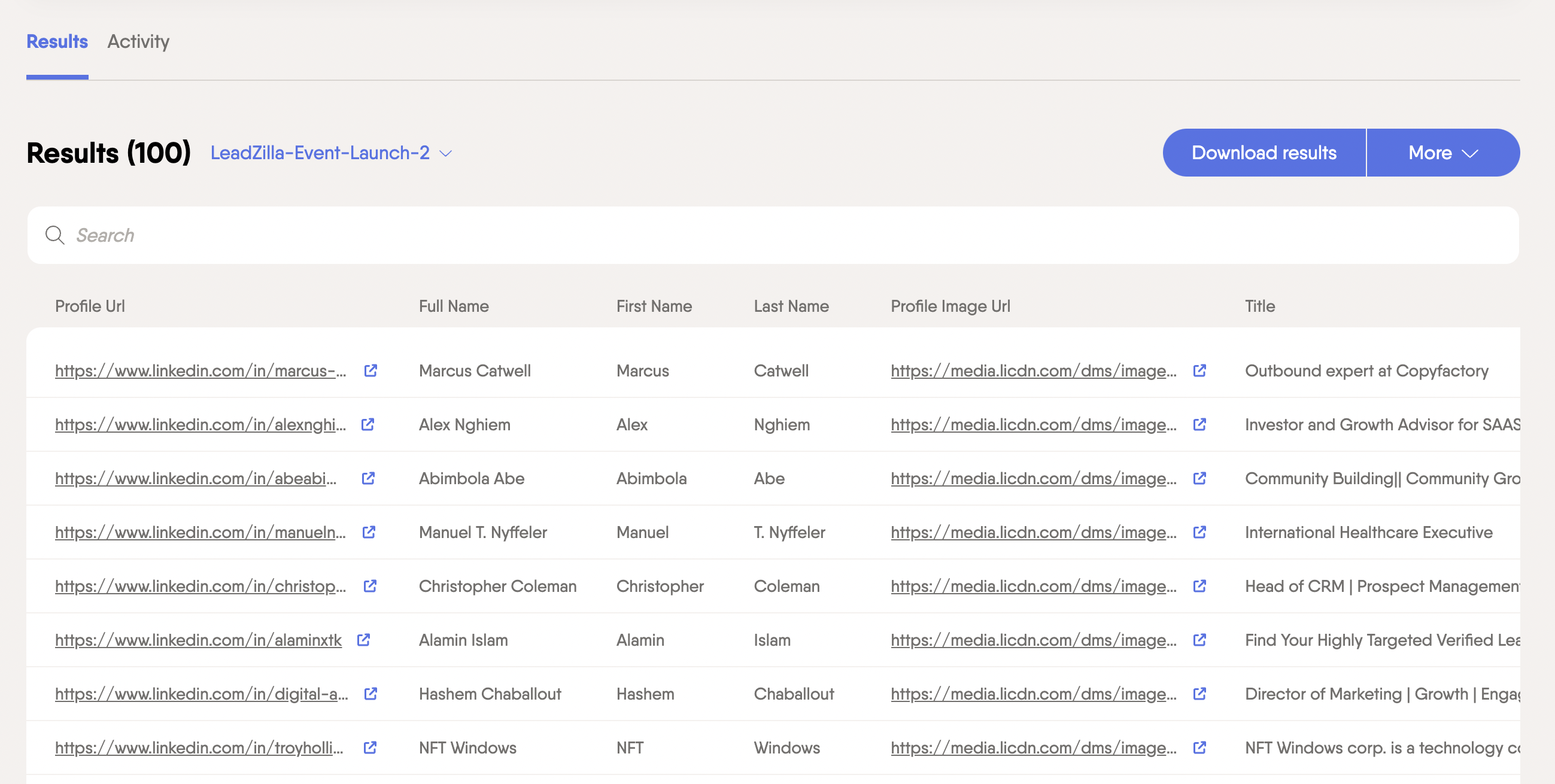
6851831865325d25c4c125be 63e70ba18cfec2454057814d Screenshot%202023 02 10%20at%2013.17.25

6. You now have a Google Sheet that includes the First Name, Last Name and LinkedIn Profile URL of all the people who are attending the event.
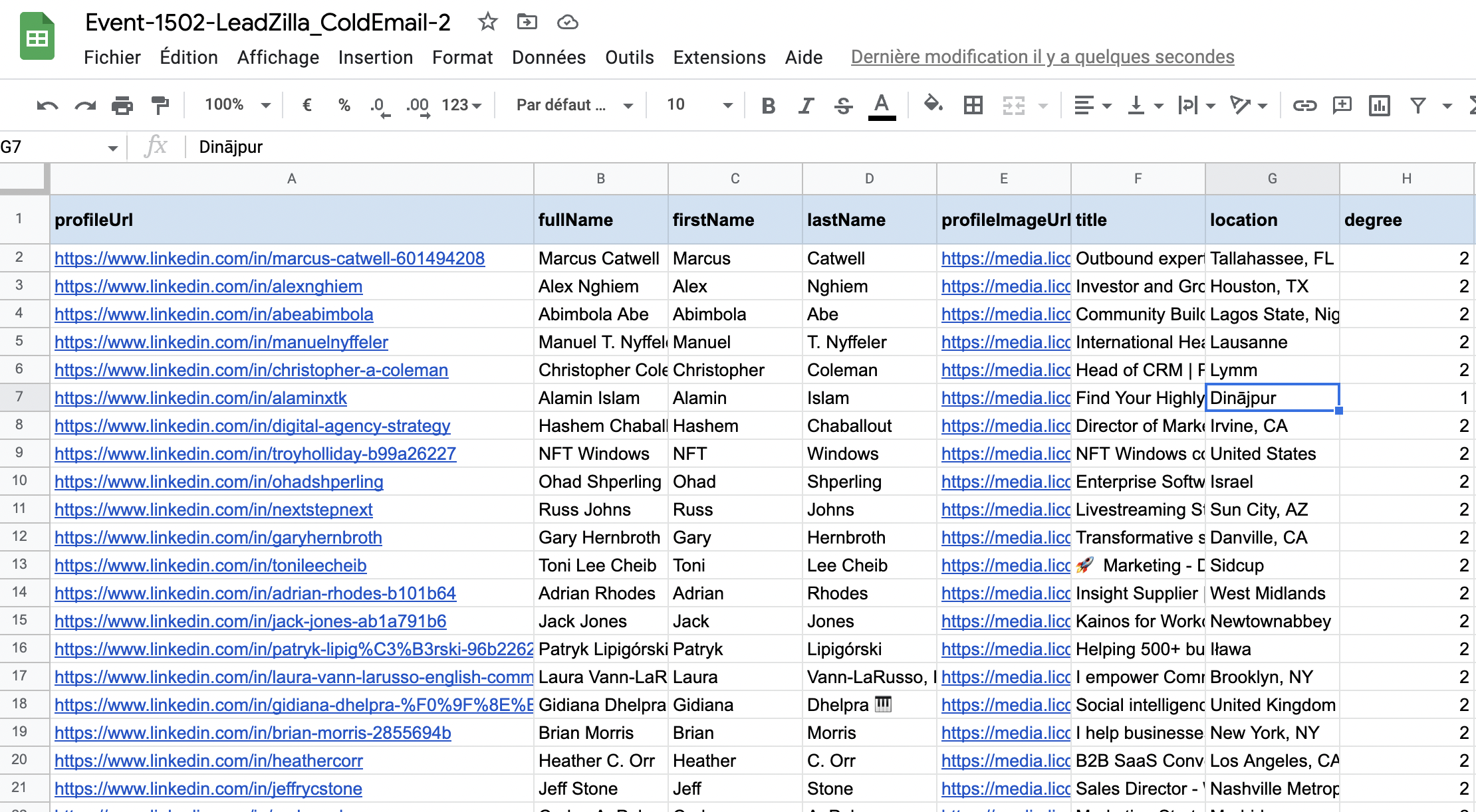
6851831865325d25c4c125ac 63e70bb060afc246c987b247 Screenshot%202023 02 10%20at%2013.24.54

STEP 3 - Reach out on LinkedIn or Enrich the Information

You’re now done compiling your list of potential prospects! Time to reach out to them and explore new business opportunities. Since you're already on LinkedIn, you can use Sales Automation tools like Expandi or LaGrowthMachine to automate your outreach.

If you wish to reach out via email, you can use enrichment tools like Apollo to find your prospects' email addresses. Once you have these, tools like Smartlead or Instantly will allow you to automate your email outreach.

CONCLUSION

In summary, make the most of LinkedIn by using buying triggers to create a list of potential customers. Look for active individuals who have shown interest in similar products or services by attending LinkedIn events. This way, you can focus your outreach on those more likely to be interested in what you offer, boosting your chances of making a sale.

‍

Michel Lieben
Michel Lieben
Founder, CEO

Michel Lieben is the Founder & CEO of ColdIQ, a B2B sales prospecting agency trusted by 100+ organizations. He’s launched hundreds of outbound campaigns, mastered tools like Clay and Lemlist, and shares sharp, actionable insights on scaling sales with AI, automation, and strategy.

Share article

Talk to a GTM engineer

FAQ

Events with fewer attendees might limit the data you can extract. However, you can still scrape the list as long as you join the event, just expect smaller prospect pools and potentially less diverse leads.

More articles

Discover more articles on the same topic.

MAR 17, 2026
How to Get Prospecting Lists for Cold Outreach (The 2026 Guide)

A prospecting list is a compilation of potential buyers who fit your ideal customer profile (ICP), organized in a database. Think of it as a key to unlocking your cold outreach efforts. Without it, you don’t know who to reach and how to contact them.

Funmito Obafemi
MAR 17, 2026
Best ZoomInfo Alternatives in 2026 (Feature & Pricing Comparison)

Looking for a ZoomInfo alternative? We compare the 8 best ZoomInfo competitors like Apollo, Lusha, and Cognism on features, pricing, and use cases.

Michel Lieben
MAR 17, 2026
How to Automatically Scrape Data from Websites Using Clay Scraper

Learn how to scrape website data into Excel automatically with the Clay scraper! Save time and boost productivity with this easy step-by-step guide.

Michel Lieben
Available to Hire
User 1
User 2
User 3
User 4
User 5
User 6
User 7

Make your cold emails count

No setup rituals. No DNS sorcery. Just emails that send, land, and look damn good doing it. Get started now. Because why wait?

All there is to know about the latest prospecting techniques

Growth

AgencyAccelerator ProgramInboxes
Grow your revenue

Resources

Tech StackVideo ContentCase StudiesBlogWe're HiringFor Investors

GTM Tools

FREE GTM ToolsColdIQ Exclusive DealsAI Sales ToolsLinkedIn ToolsSales ToolsData SourcesAI Marketing ToolsAI AgentsContact us
Elite Studio - Partner Badge - 2025 - ColdIQ

Free Tools

Email FinderMobile FinderEmail Spam CheckerFind Similar Companies

Get In Touch

[email protected]
@MichLieben
Michel Lieben
@MichLieben
Elite Studio - Partner Badge - 2025 - ColdIQ
Copyright 2026 © ColdIQ LLC.
PrivacyTerms
All rights reserved.